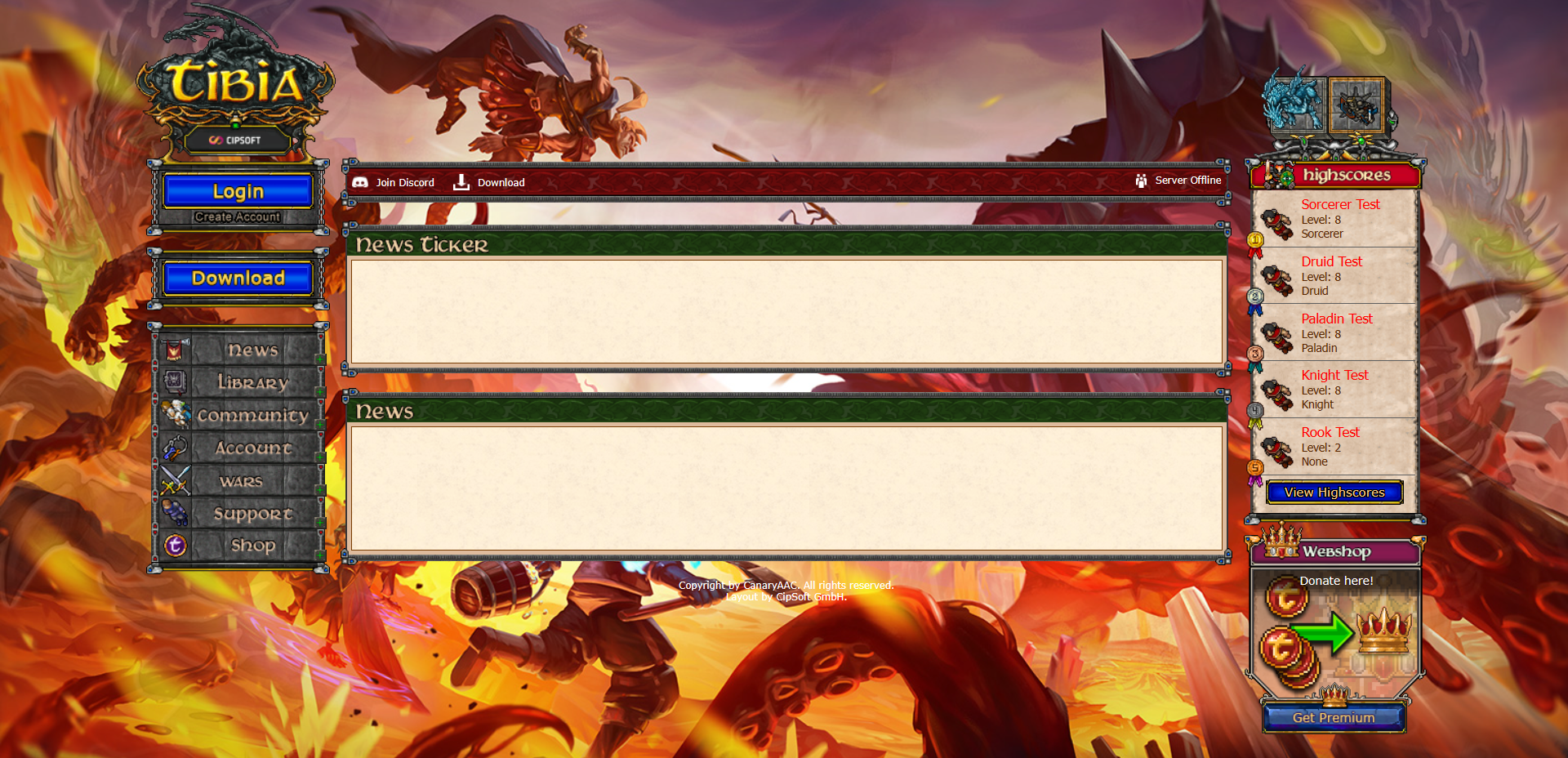
# About
## What is CanaryAAC:
* CanaryAAC is a free and open-source Automatic Account Creator (AAC) written in MVC-PHP. It supports only MySQL databases.
### Infos:
* Fully Object Oriented
* Model/View/Controller (MVC)
* Middlewares
* API
* Composer
* Fast Route
* PhpDotEnv
* Twig
* Google2FA
* GuzzleHttp
* DiscordPHP
* PagSeguro
* PayPal
* MercadoPago
* Using .env to configure
### Credits:
**Lucas Giovanni and OpenTibiaBR Contributors (**[**https://github.com/opentibiabr/canaryaac**](https://github.com/opentibiabr/canaryaac)**)**
## Github:
* [CanaryAAC](https://github.com/opentibiabr/canaryaac)
## Image:
## Getting Started:
Linux
* [Nginx](https://docs.opentibiabr.com/opentibiabr/projects/canary/getting-started/installing/linux/nginx-+-mariadb-+-myaac)
* [MariaDB](https://docs.opentibiabr.com/opentibiabr/projects/canary/getting-started/installing/linux/nginx-+-mariadb-+-myaac)
* [MariaDB User](https://docs.opentibiabr.com/opentibiabr/projects/canary/getting-started/installing/linux/nginx-+-mariadb-+-myaac)
* [PHP](https://docs.opentibiabr.com/opentibiabr/projects/canary/getting-started/installing/linux/nginx-+-mariadb-+-myaac)
* [phpMyAdmin](https://docs.opentibiabr.com/opentibiabr/projects/canary/getting-started/installing/linux/nginx-+-mariadb-+-myaac)
* [Configuration Nginx](https://docs.opentibiabr.com/opentibiabr/projects/canary/getting-started/installing/linux/nginx-+-mariadb-+-myaac)
### Database:
* Go to phpMyAdmin.
* Import the schema.sql that is in the Canary Server folder.
* Import the canaryaac.sql that is available below:
* [Download](https://github.com/opentibiabr/canaryaac/blob/main/canaryaac.sql)
### Canary config.lua:
* [Config.lua](https://docs.opentibiabr.com/opentibiabr/projects/canary/getting-started/linux/linux-canary-+-nginx-+-mariadb-+-myaac#id-10-config.lua)
### **Install CanaryAAC:**
* ```
cd ~
sudo git clone https://github.com/opentibiabr/canaryaac.git
sudo mv canaryaac/* /var/www/html
sudo rm -rf canaryaac
sudo chown -R www-data:www-data /var/www/html
cd /var/www/html
sudo chmod 755 -R . && sudo chmod 755 -R app/ includes/ resources/ routes/ vendor/
```
* Env file:
* ```
cd /var/www/html
sudo nano .env
```
* Configure .env file with the informations below:
* ```
URL='http://127.0.0.1'
SERVER_PATH='/home//Canary/'
# Database connection
DB_HOST='127.0.0.1'
DB_NAME='canary'
DB_USER='your-user'
DB_PASS='your-password'
DB_PORT='3306'
# Website configs
MAINTENANCE=false
DEV_MODE=true
# PagSeguro
PAGSEGURO_EMAIL=''
PAGSEGURO_TOKEN=''
# Mercado Pago
MERCADOPAGO_TOKEN=''
MERCADOPAGO_KEY=''
MERCADOPAGO_CLIENTID=''
MERCADOPAGO_SECRET=''
# Paypal
PAYPAL_CLIENTID=''
PAYPAL_SECRET=''
# Mail
MAIL_SMTP='smtp://localhost'
MAIL_WEB='contact@canaryaac.com'
# Outfits Folder
OUTFITS_FOLDER='/resources/images/charactertrade/outfits'
```
* Save the file.
* Open CanaryAAC:
* (for localhost).
* .
Windows
### **Web Packages:**
* [Uniform Server](https://sourceforge.net/projects/miniserver/files/Uniform%20Server%20ZeroXIV/14_0_5_ZeroXIV/14_0_5_ZeroXIV.exe/download) (Recommended)
* [XAMPP](https://sourceforge.net/projects/xampp/files/XAMPP%20Windows/8.1.6/xampp-windows-x64-8.1.6-0-VS16-installer.exe/download)
* Go to phpMyAdmin.
* On the left side click +New and create a database (e.g. canary)
* Import the schema.sql that is in the Canary folder.
* Import the canaryaac.sql that is available below:
*
* **Example .env file:**
* ```
URL='http://127.0.0.1'
SERVER_PATH='C:/OpenTibiaBR/Canary/'
# Database connection
DB_HOST='127.0.0.1'
DB_NAME='canary'
DB_USER='your-user'
DB_PASS='your-password'
DB_PORT='3306'
# Website configs
SITE_NAME=CanaryAAC
MAINTENANCE=false
DEV_MODE=true
MULTI_WORLD=false # not ative
# PagSeguro
PAGSEGURO_EMAIL=''
PAGSEGURO_TOKEN=''
# Mercado Pago
MERCADOPAGO_TOKEN=''
MERCADOPAGO_KEY=''
MERCADOPAGO_CLIENTID=''
MERCADOPAGO_SECRET=''
# Paypal
PAYPAL_CLIENTID=''
PAYPAL_SECRET=''
# Mail
MAIL_SMTP='smtp://localhost'
MAIL_WEB='contact@canaryaac.com'
# Outfits Folder
OUTFITS_FOLDER='/resources/images/charactertrade/outfits'
```
* **How to edit the client:**
* [#client-editor](https://docs.opentibiabr.com/opentibiabr/tools/editors#client-editor "mention")
* **Examples of IP in the client:**
*
*
*
*
## How to connect with CanaryAAC:
Canary
### Client 14:
* Edit the client and change the IP like in a example below:
*
*
*
### OTClient Redemption:
* modules/corelib/http.lua:
```lua
local is_json = true
```
* Login with account @god/god or your own account email and password;
* Server: or your ;
* Client Version: 1412;
* Port: 80.